


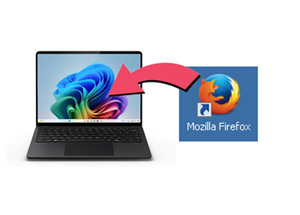
 First you will need a browser that can use the Flash plug-in (the flash plug-in is the software that can read the game data and run the game itself but the plug-in needs a browser so it has some space to work in so to speak. A version of firefox that will work with the flash plug-in can be downloaded here: https://ftp.mozilla.org/pub/firefox/releases/28.0/win32/en-US/ (Official Mozilla website FTP repository)
Install the software as normal following the instructions.
First you will need a browser that can use the Flash plug-in (the flash plug-in is the software that can read the game data and run the game itself but the plug-in needs a browser so it has some space to work in so to speak. A version of firefox that will work with the flash plug-in can be downloaded here: https://ftp.mozilla.org/pub/firefox/releases/28.0/win32/en-US/ (Official Mozilla website FTP repository)
Install the software as normal following the instructions.
 Run the (Windows) file "flashplayer32_0r0_371_win.msi" and install the software as normal following the instructions. While it is no longer available officially, this file may be found via different internet based sources.
 There is one fairly trustworthy source here though please use with caution as security cannot be 100% guaranteed: https://archive.org/download/flashplayer32_0r0_371_win/flashplayer32_0r0_371_win.msi*
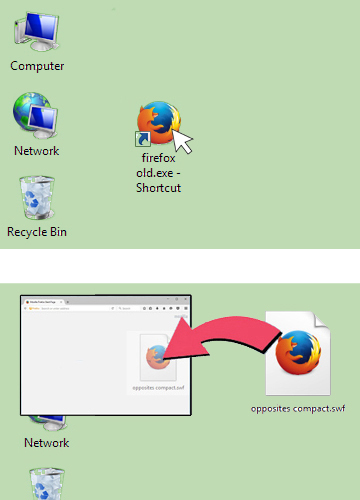
Open the firefox browser (there should be a shortcut on your desktop) and a browser window will open.
Find the game file you want to play and drag and drop a .swf file (game) into the browser. Also, you can go to FILE>OPEN> and open the game file you want directly.
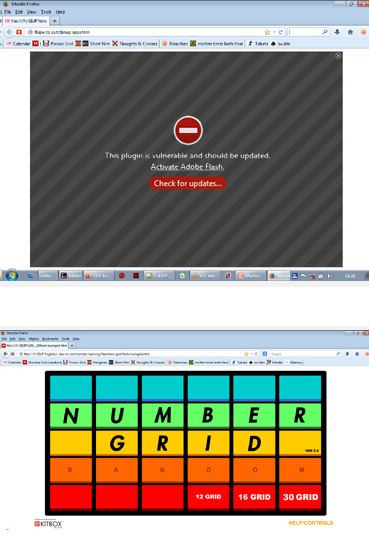 If all has worked correctly you should see this image. The plug-in is usually set not to start automatically as default to maintain security (see more information about security below). Clicking anywhere on the black area will bring up a prompt window asking if you'd like to allow the game to run this time.
 2. Work offline
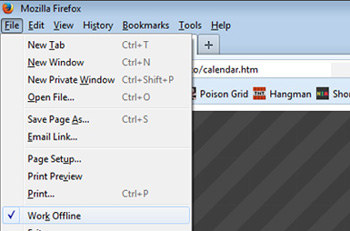 "Work Offline" in Firefox will stop access to the internet even if the computer connected to the internet. The games will run offline as normal. The internet/wi-fi to your other software or computer itself will not be affected.
3. Hash check
Hashes are a code that represents the contents of a computer file as a alphanumeric code. If the file is altered in any way, the hash will be different, even if the size, name, creation date, etc. are exactly the same.
Hashes can be checked (verified) with software such as TeraCopy (site) or on trustworthy cyber security sites. Please research the most convenient and suitable method for your needs.
Poison grid - (TBA)


